
Ultra M 2 vs Nvme: Check Compatibility First
Check whether your M.2 slot supports NVMe before buying. Compare these drives by interface, rated speeds, capacity, and workload fit in November 2026.
 By Marcus Hale
Updated November 12, 2026
An M.2 slot doesn’t guarantee that a computer supports NVMe, and a mismatch can turn a storage upgrade into a frustrating return. This Ultra M 2 Vs Nvme roundup compares five listed drives by interface, capacity, and manufacturer-rated speed, so you can narrow down what fits your build and workload. M.2 describes a drive form factor, while NVMe is a storage protocol; the system’s slot and supported interface still matter. The selection includes PCIe Gen3, Gen4, and Gen5 models, but a newer generation isn’t automatically the right buy. Check your motherboard or laptop manual, and use this M.2 SSD and NVMe compatibility comparison if you want a clearer explanation of the terminology.
For a 2TB option, the listed choices span the Silicon Power Gen3x4 drive, several PCIe 4.0 models, and Samsung’s PCIe 5.0 9100 PRO. Their stated peak speeds vary, but advertised figures depend on the host system and workload, and the product details don’t provide comparable independent test results. The Silicon Power listing specifies up to 2,200 MB/s read and 1,600 MB/s write, plus 600 TBW; Samsung lists up to 14,700 MB/s read for the 9100 PRO. Consider whether your system can use the interface, how much storage your games or project files need, and whether sustained transfers are part of your work. The WD_Black listing also notes that the model has been replaced, so check its current availability and support details before deciding.
| Award | Product | BNR Score About BNR ScoreThe BNR Score is our own rating from 0 to 10, based on performance, design and build, ease of use, and value. It reflects independent research and is never influenced by manufacturers, retailers, or affiliate commissions. Learn more › | |
|---|---|---|---|
| Best Overall |
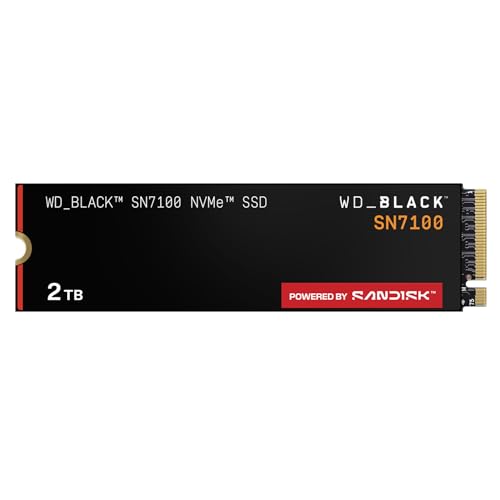
WD_Black SN7100 2TB NVMe SSD - Gen4 PCIe
|
9.2/10 | Buy |
| Best Premium |
 Samsung SSD 990 PRO 2TB, PCIe 4.0 M.2 2280 |
8.3/10 | Buy |
| Best Budget |
 SANDISK Optimus 5100 2TB NVMe SSD, PCIe 4.0 |
8.1/10 | Buy |
 Samsung SSD 9100 PRO 2TB, PCIe 5.0x4 M.2 2280 |
8.1/10 | Buy | |
 Silicon Power 2TB NVMe M.2 PCIe Gen3x4 2280 SSD |
8.0/10 | Buy |
Questions to Ask Before Buying
Does an M.2 slot mean my computer supports NVMe?
No, M.2 is a form factor, not proof that a slot supports the NVMe protocol. Check your motherboard or laptop manual for supported PCIe or SATA modes, drive length, and keying before ordering an SSD.
Will a PCIe 5.0 SSD work in a PCIe 4.0 system?
Often, PCIe devices can operate at a mutually supported generation, but confirm the specific system and drive documentation first. A Samsung 9100 PRO listing identifies PCIe 5.0×4; using it in an older system won’t provide Gen5 speeds.
Is a higher advertised sequential speed always noticeable?
No, a higher sequential read or write speed doesn’t guarantee a noticeable improvement in every task. Game loading, everyday computing, and random read performance depend on the workload and host system, so compare specifications with how you use storage.
Do these listed drives include a heatsink?
The supplied product details don’t confirm a heatsink for these listed models, so check the exact listing before purchase. Also check laptop clearance, motherboard cooling provisions, and manufacturer guidance, especially if your workload involves sustained transfers.
What should I know about the Silicon Power drive’s endurance and fit?
The Silicon Power listing specifies 600 TBW and says warranty coverage ends when its duration or TBW limit occurs first. It also requires an M.2 connector with only an M key, so verify connector fit and warranty terms.
About the author
Marcus Hale is a storage and PC hardware writer covering NVMe SSDs, M.2 drives, and gaming PC upgrades. He focuses on turning spec sheets, controller and cache details, and published benchmark data into clear comparisons that help readers pick the right drive for their budget.