
Nvme M 2 vs M 2 Sata: Check Compatibility First
Check the interface before buying: nvme m 2 vs m 2 sata explained with drive examples and practical compatibility notes for November 2026.
 By Tyler Brooks
Updated November 12, 2026

An M.2 slot doesn’t automatically mean a computer can use both NVMe and SATA drives, so checking the interface first can prevent a costly mismatch. Nvme M 2 Vs M 2 Sata is a practical comparison because M.2 describes a drive’s form factor, while NVMe and SATA refer to different storage interfaces and protocols. The listed products include both NVMe SSDs and a SATA M.2 SSD, alongside an enclosure that accepts either type, but they aren’t interchangeable in every computer. Check the motherboard or laptop manual for supported protocols, keying and drive length before ordering. For a clearer explanation of the difference between M.2 and NVMe, compare the physical format with the connection your system supports.
The product details offer useful points of comparison without making every drive suitable for every workload. The SANDISK Optimus 5100 500GB NVMe SSD, PCIe 4.0 lists manufacturer-rated speeds up to 6,600MB/s read and 5,600MB/s write, while the Samsung SSD 990 PRO 2TB, PCIe 4.0 M.2 2280 lists up to 7,450MB/s read and 6,900MB/s write. Those are different capacities and advertised maximums, not guaranteed results in your system. The TEAMGROUP MS30 512GB is SATA III, and the Silicon Power 2TB drive is PCIe Gen 3×4 NVMe. The SABRENT enclosure is an accessory, not an SSD, so match your choice to system support, needed capacity and intended use.
| Award | Product | BNR Score About BNR ScoreThe BNR Score is our own rating from 0 to 10, based on performance, design and build, ease of use, and value. It reflects independent research and is never influenced by manufacturers, retailers, or affiliate commissions. Learn more › | |
|---|---|---|---|
| Best Overall |
SANDISK Optimus 5100 500GB NVMe SSD, PCIe 4.0
|
8.4/10 | Buy |
| Best Budget |
 SABRENT Tool-Free NVMe & SATA M.2 SSD Enclosure |
8.3/10 | Buy |
| Best Premium |
 Samsung SSD 990 PRO 2TB, PCIe 4.0 M.2 2280 |
8.3/10 | Buy |
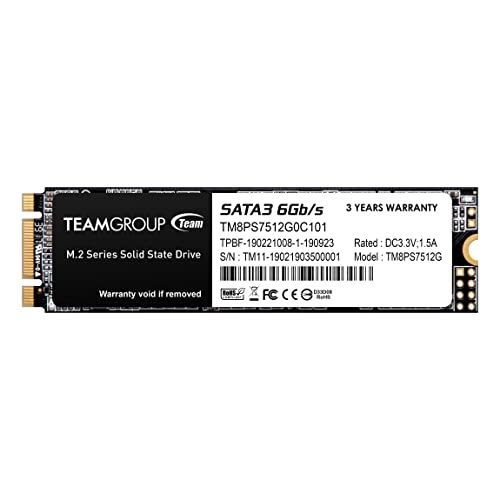 TEAMGROUP MS30 512GB with SLC Cache 3D NAND TLC |
8.1/10 | Buy | |
 Silicon Power 2TB NVMe M.2 PCIe Gen3x4 2280 SSD |
8.0/10 | Buy |
Questions Before You Buy
Does M.2 mean a drive is NVMe?
No, M.2 identifies a physical form factor, not a storage protocol. An M.2 SSD may use NVMe over PCIe or SATA, so verify the motherboard or laptop specifications, supported interface and connector key before purchasing.
Can an M.2 SATA SSD fit a system that supports NVMe?
Not necessarily; physical fit alone doesn’t confirm protocol support. Check the system manual for M.2 SATA and NVMe support, the required form factor and connector key, since some slots accept only one interface type.
Are the listed NVMe drives compatible with any PCIe M.2 slot?
No, compatibility depends on the computer’s M.2 connector, supported PCIe generation, keying and physical clearance. The Silicon Power listing specifies an M-key connector and PCIe Gen 3×4; confirm your system supports those requirements before buying.
Will an NVMe SSD always feel faster than SATA?
No, the difference depends on the workload and host system. Advertised sequential read speed describes a different measure from random performance, and everyday tasks may not use peak bandwidth, so compare supported interface and intended use.
Can the SABRENT enclosure hold either type of M.2 SSD?
Yes, its product details specify M.2 NVMe and SATA support for 2242, 2260 and 2280 bare drives. It is an enclosure, not storage, and does not provide clearance for a drive with a pre-installed heatsink.
Should I choose a PCIe 4.0 drive for every computer?
No, a PCIe 4.0 drive only makes sense if your system supports the interface and you can use its capacity and performance. Check PCIe generation, M.2 fit and workload needs; advertised peak speeds depend on the host.
About the author
Tyler Brooks writes about SSD performance, endurance ratings, and thermal behavior. He reviews manufacturer documentation, independent test data, and customer feedback to explain how heatsinks, throttling, and DRAM cache affect everyday use.