
Best M 2 2280 Nvme Ssd of 2026: Top Picks
Check M.2 2280 fit, PCIe generation, capacity, and stated speeds before choosing best m 2 2280 nvme ssd. Compare these options for November 2026.
 By Priya Nair
Updated November 12, 2026
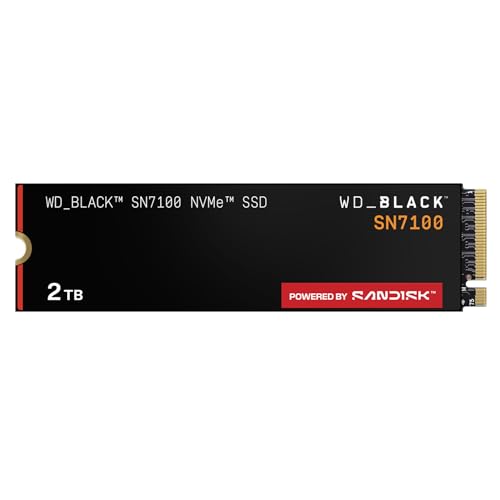
A drive can fit the M.2 2280 shape and still be a poor match if your system’s slot doesn’t support its interface. This roundup of Best M 2 2280 Nvme Ssd puts compatibility first, then weighs capacity, stated sequential speeds, and the features that may matter for your workload. The WD_Black SN7100 and Samsung 990 PRO offer 2TB capacities with manufacturer-listed PCIe Gen 4 specifications, while the Kingston NV3 is a 1TB option that includes cloning software and a stated five-year limited warranty. These details help narrow the field, but they don’t establish compatibility with your particular motherboard or laptop. Check the device manual for M.2 length, NVMe support, and PCIe generation before buying. For other system-storage options, see our SSD picks for desktop PCs.
Capacity and interface speed aren’t the only buying considerations. The SANDISK Optimus 5100 is listed as a 2TB PCIe 4.0 M.2 2280 drive, while Silicon Power’s 2TB model uses PCIe Gen 3×4 and lists up to 2,200 MB/s read and 1,600 MB/s write. The Samsung 990 PRO lists up to 7,450 MB/s read and 6,900 MB/s write; those are manufacturer figures, not guaranteed everyday results. Silicon Power also states a 600 TBW rating and says its warranty ends when either the warranty period or TBW limit is reached. Heatsink details aren’t supplied for these listings, so check clearance and cooling needs separately. Consider whether you need extra space, a newer interface, or included migration software, and don’t pay for a speed tier your system can’t use.
| Award | Product | BNR Score About BNR ScoreThe BNR Score is our own rating from 0 to 10, based on performance, design and build, ease of use, and value. It reflects independent research and is never influenced by manufacturers, retailers, or affiliate commissions. Learn more › | |
|---|---|---|---|
| Best Overall |
WD_Black SN7100 2TB NVMe SSD - Gen4 PCIe
|
9.2/10 | Buy |
| Best Budget |
 Kingston NV3 1TB M.2 2280 NVMe SSD |
8.8/10 | Buy |
| Best Premium |
 Samsung SSD 990 PRO 2TB, PCIe 4.0 M.2 2280 |
8.3/10 | Buy |
| Best Value |
 SANDISK Optimus 5100 2TB NVMe SSD, PCIe 4.0 |
8.1/10 | Buy |
 Silicon Power 2TB NVMe M.2 PCIe Gen3x4 2280 SSD |
8.0/10 | Buy |
Questions to Check Before Buying
Will every M.2 2280 NVMe SSD work in my laptop or motherboard?
No, the M.2 2280 size alone doesn’t confirm support. Check your device documentation for NVMe, slot keying, PCIe generation, and drive length; Silicon Power specifically requires an M.2 connector with an M key.
Is the Kingston NV3 a suitable choice if I want migration software?
Yes, the listing says the 1TB Kingston NV3 includes Acronis cloning software. Confirm the software’s current terms and that your system supports the M.2 2280 PCIe 4.0 NVMe drive before planning a migration.
Do the listed read speeds guarantee faster game or application loading?
No, manufacturer-listed sequential read speeds aren’t a guarantee of game or application loading times. The Samsung 990 PRO lists up to 7,450 MB/s read, but results depend on system support and the workload.
Which option offers a stated endurance rating?
Silicon Power lists a 600 TBW rating for its 2TB PCIe Gen 3×4 drive. Its warranty terms depend on whichever comes first, the warranty length or TBW limit; check the current product details for the full terms.
Should I check heatsink clearance before ordering?
Yes, check your motherboard or laptop clearance because the supplied listings don’t establish heatsink inclusion or dimensions. Verify the M.2 2280 slot, nearby components, and cooling guidance, especially in a compact system.
About the author
Priya Nair is a product editor who covers PCIe generations, motherboard M.2 compatibility, and storage upgrade guides. Her work emphasizes checking slot support, lane sharing, and form factors so readers know a drive will fit and perform in their system before they buy.