
Nvme Ssd vs M 2 Which Is Better: Check System Fit First
M.2 describes the drive’s form factor, while NVMe names its storage protocol. Compare capacity, interface, and fit before buying in November 2026.
 By Marcus Hale
Updated November 12, 2026
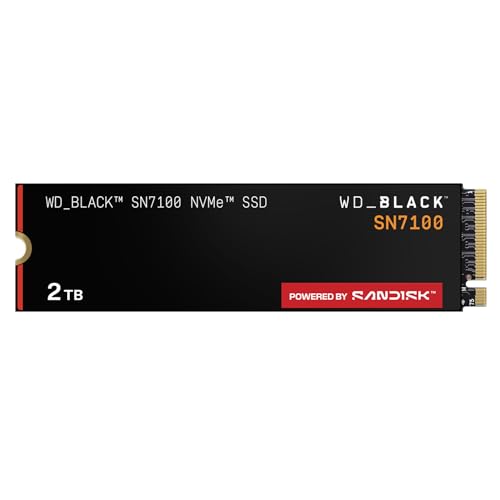
An M.2 slot can look like a straightforward storage upgrade, but the slot alone doesn’t confirm NVMe support. M.2 is a form factor, while NVMe is a protocol, so check your motherboard or laptop manual for the supported drive type and PCIe generation before buying. This roundup compares five listed options, including Gen4 M.2 2280 drives from Kingston and SANDISK and a Gen3 Silicon Power model. The manufacturer-listed speed ceilings differ, but they aren’t a promise of the same results in every computer or workload. For the terminology behind this distinction, see our M.2 SSD and NVMe SSD comparison.
Capacity and system fit may matter more than the highest advertised read speed, especially if you’re adding room for games, applications, or project files. The Kingston NV3 is listed as a 1TB PCIe 4.0 drive with Acronis cloning software and a five-year limited warranty, while the SANDISK Optimus 5100 entries offer 500GB and 2TB capacities. The WD_Black SN7100 is a 2TB Gen4 option, and Silicon Power’s 2TB drive uses Gen3 x4 and lists a 600 TBW rating. Treat each specification as product information, not an independent performance result. Check interface, capacity, keying, warranty terms, and any heatsink clearance your device requires before choosing.
| Award | Product | BNR Score About BNR ScoreThe BNR Score is our own rating from 0 to 10, based on performance, design and build, ease of use, and value. It reflects independent research and is never influenced by manufacturers, retailers, or affiliate commissions. Learn more › | |
|---|---|---|---|
| Best Overall |
WD_Black SN7100 2TB NVMe SSD - Gen4 PCIe
|
9.2/10 | Buy |
| Best Budget |
 Kingston NV3 1TB M.2 2280 NVMe SSD |
8.8/10 | Buy |
 SANDISK Optimus 5100 500GB NVMe SSD, PCIe 4.0 |
8.4/10 | Buy | |
| Best Premium |
 SANDISK Optimus 5100 2TB NVMe SSD, PCIe 4.0 |
8.1/10 | Buy |
| Best Value |
 Silicon Power 2TB NVMe M.2 PCIe Gen3x4 2280 SSD |
8.0/10 | Buy |
FAQs: NVMe and M.2 Buying Questions
Are M.2 and NVMe the same thing?
No, M.2 describes a drive form factor, while NVMe is a protocol used by some SSDs. An M.2 slot may support SATA, NVMe, or both, so check your device documentation before ordering.
Will a PCIe Gen4 NVMe drive work in a Gen3 system?
Often, a newer PCIe drive can operate at a compatible lower generation, but confirm support in your motherboard or laptop manual. The system and workload affect available speeds, so advertised sequential read speed isn’t guaranteed.
Which listed drive suits a larger storage upgrade?
The listed 2TB choices are the WD_Black SN7100, SANDISK Optimus 5100, and Silicon Power drive. Compare available capacity with your files and games, then verify M.2 fit, PCIe support, and keying before purchase.
Does the Silicon Power drive fit every M.2 slot?
No, its product details specify an M.2 connector with an M key and note that a B key will prevent insertion. Check the slot’s form factor, interface, keying, and device manual before buying.
Should I prioritize peak speed or warranty and cloning support?
It depends on your system and workload; peak sequential speed alone doesn’t establish the best fit. Kingston lists Acronis cloning software and a five-year limited warranty, while other supplied details identify different capacities and interfaces.
About the author
Marcus Hale is a storage and PC hardware writer covering NVMe SSDs, M.2 drives, and gaming PC upgrades. He focuses on turning spec sheets, controller and cache details, and published benchmark data into clear comparisons that help readers pick the right drive for their budget.