
M 2 2280 Sata vs Nvme? Check Compatibility First
Check the interface before choosing an M.2 drive: m 2 2280 sata vs nvme explained with practical fit and speed considerations for November 2026.
 By Owen Fischer
Updated November 12, 2026

An M.2 2280 label describes a drive’s size, not whether it uses SATA or NVMe, so a drive can fit the slot physically and still be incompatible. That distinction matters in this comparison: the OSCOO, TEAMGROUP MS30, Timetec, and KingSpec listings are SATA, while the Silicon Power 2TB model uses PCIe Gen 3×4 NVMe. The SATA drives list manufacturer-rated sequential speeds around the SATA interface’s stated limits, while Silicon Power lists higher peak read and write figures for its NVMe model. Those advertised maximums aren’t guarantees for every computer or workload. For a plain-language explanation of the protocol distinction, see our M.2 SSD and NVMe differences before picking a drive.
Start with your motherboard or laptop manual, then confirm both the supported protocol and the M.2 form factor; don’t rely on the slot’s shape alone. The listed SATA models may suit systems that specifically support M.2 SATA, while the Silicon Power drive requires an M.2 connector with an M key, according to its product details. Capacity also changes the fit: this group includes 256GB, 512GB, and 2TB options, so consider your operating system, games, and project files. Warranty and endurance details differ where supplied, and missing details should be verified with the seller or manufacturer. The roundup below puts the five options in one place so you can compare interface, stated capacity, and listed features against your system and workload.
| Award | Product | BNR Score About BNR ScoreThe BNR Score is our own rating from 0 to 10, based on performance, design and build, ease of use, and value. It reflects independent research and is never influenced by manufacturers, retailers, or affiliate commissions. Learn more › | |
|---|---|---|---|
| Best Overall |
OSCOO 512GB M.2 2280 SATA SSD B+M Key SATA III
|
8.9/10 | Buy |
| Best Value |
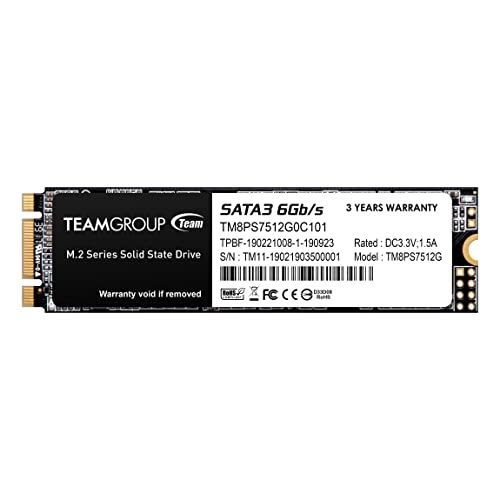 TEAMGROUP MS30 512GB with SLC Cache 3D NAND TLC |
8.1/10 | Buy |
| Best Budget |
 Timetec 256GB SSD 3D NAND SATA III 6Gb/s M.2 2280 |
8.0/10 | Buy |
 KingSpec 512GB M.2 SATA III 2280 SSD |
8.0/10 | Buy | |
| Best Premium |
 Silicon Power 2TB NVMe M.2 PCIe Gen3x4 2280 SSD |
8.0/10 | Buy |
Questions to Check Before Buying
Does an M.2 2280 slot guarantee SATA and NVMe compatibility?
No, M.2 2280 describes the form factor, not the protocol supported by your computer. Check the motherboard or laptop manual for SATA, NVMe, or both. A physically fitting SSD may still go unrecognized if its interface is unsupported.
Can these M.2 SATA drives work in an NVMe-only slot?
No, the OSCOO, TEAMGROUP MS30, Timetec, and KingSpec listings identify these models as SATA, not NVMe. Their product details warn that the SATA models need M.2 SATA support. Verify the motherboard interface before ordering, even if the connector looks similar.
Will a PCIe Gen 3×4 NVMe SSD work in a newer PCIe system?
Often, PCIe generations support backward compatibility, but the motherboard or laptop must support NVMe and the drive’s physical keying. Silicon Power lists an M-key connector and PCIe Gen 3×4 interface; check your system manual for its M.2 requirements.
Are the Silicon Power NVMe speeds guaranteed in everyday use?
No, its listed read and write speeds are manufacturer-rated maximums, not guaranteed results for every system. Host interface, workload, and other system factors can affect sequential transfers. Everyday responsiveness and game loading don’t depend on sequential speed alone.
Which details should I compare for capacity, warranty, and endurance?
Compare capacity with your files and check each listing’s stated warranty and TBW details before buying. Silicon Power lists 600 TBW and says its warranty ends at the warranty-length or TBW limit, whichever comes first. This SATA M.2 versus NVMe M.2 guide can help clarify the interface choice.
About the author
Owen Fischer is an editor focused on value and troubleshooting, from budget Gen 3 drives to detection and speed problems after an upgrade. He compares published specifications and real-world user reports to help readers avoid common storage upgrade mistakes.