
ssd m 2 vs nvme m 2? Check Fit First
Check the drive protocol and slot before buying: ssd m 2 vs nvme m 2 explained with practical product comparisons for November 2026.
 By Tyler Brooks
Updated November 12, 2026

An M.2 slot alone doesn’t tell you whether a computer supports NVMe, so a quick compatibility check can prevent a frustrating mismatch. ssd m 2 vs nvme m 2 is really a question about the difference between a drive’s physical form factor and its storage protocol. M.2 describes a compact shape, while NVMe is a protocol used by many PCIe SSDs; M.2 drives can also use SATA. The listed models here are NVMe drives, but their sizes and interfaces aren’t identical. Before choosing one, check your computer’s manual for supported M.2 length, keying, and interface, as explained in this M.2 SSD and NVMe compatibility guide.
The product details make the practical tradeoffs easier to spot: the Crucial P310 is a compact M.2 2230 model, while several options use M.2 2280, and the Silicon Power drive lists PCIe Gen3x4 rather than Gen4. Capacities range from 1TB to 2TB among the named options, so consider your game library, projects, and available slot before paying for capacity you won’t use. Manufacturer-rated peak speeds are specifications, not promises for every host system or workload. For example, the Samsung 990 PRO lists up to 7,450 MB/s read and 6,900 MB/s write, while Silicon Power lists up to 2,200 MB/s and 1,600 MB/s. The details below can help match a drive to your system and workload without treating speed alone as the buying decision.
| Award | Product | BNR Score About BNR ScoreThe BNR Score is our own rating from 0 to 10, based on performance, design and build, ease of use, and value. It reflects independent research and is never influenced by manufacturers, retailers, or affiliate commissions. Learn more › | |
|---|---|---|---|
| Best Overall |
Crucial P310 2TB M.2 2230 SSD, PCIe Gen4 NVMe
|
9.2/10 | Buy |
| Best Premium |
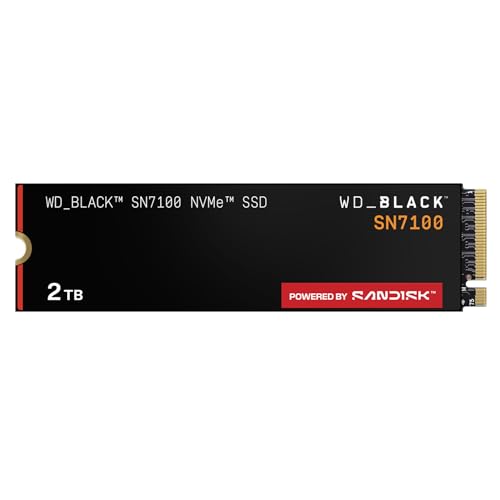 WD_Black SN7100 2TB NVMe SSD - Gen4 PCIe |
9.2/10 | Buy |
| Best Budget |
 Kingston NV3 1TB M.2 2280 NVMe SSD |
8.8/10 | Buy |
 Samsung SSD 990 PRO 2TB, PCIe 4.0 M.2 2280 |
8.3/10 | Buy | |
| Best Value |
 SANDISK Optimus 5100 2TB NVMe SSD, PCIe 4.0 |
8.1/10 | Buy |
 Silicon Power 2TB NVMe M.2 PCIe Gen3x4 2280 SSD |
8.0/10 | Buy |
NVMe and M.2 Buying Questions
Does M.2 mean a drive is NVMe?
No, M.2 describes a drive’s form factor, while NVMe is a protocol commonly used over PCIe. Some M.2 SSDs use SATA instead, so check the motherboard or laptop manual for supported interface, slot keying, and drive length before buying.
Will a PCIe Gen4 NVMe SSD work in a Gen3 system?
Often, PCIe devices can operate across generations, but your system’s documentation should confirm support and expected operation. A Gen4 drive in a Gen3 slot may be limited by the host interface, so advertised sequential read speed isn’t guaranteed there.
Is the Crucial P310 suitable for every M.2 laptop slot?
No, its listed M.2 2230 size and PCIe Gen4 NVMe interface must match the laptop’s supported slot. Product details mention select devices, but confirm your exact model, form factor, and interface in its manual before ordering the drive.
Should I choose the fastest listed drive for gaming?
Not necessarily, because a higher manufacturer-rated sequential speed doesn’t guarantee a noticeable game-loading change in every system. Compare capacity, PCIe support, and compatibility too; random read performance and the game’s workload can matter beyond headline sequential speed.
What should I check about warranty, endurance, and migration?
Check each model’s current warranty and endurance terms rather than assuming they’re alike. The Kingston NV3 listing specifies a five-year limited warranty and Acronis cloning software, while Silicon Power lists 600 TBW and says its warranty depends on whichever limit comes first.
About the author
Tyler Brooks writes about SSD performance, endurance ratings, and thermal behavior. He reviews manufacturer documentation, independent test data, and customer feedback to explain how heatsinks, throttling, and DRAM cache affect everyday use.