
Pcie Nvme vs Pcie Ahci? Protocol and Adapter Fit
Check protocol and slot fit before buying: pcie nvme vs pcie ahci explained with practical notes on four PCIe adapter options for November 2026.
 By Marcus Hale
Updated November 12, 2026

An M.2 connector alone doesn’t tell you whether a drive uses NVMe or AHCI, and that distinction can decide whether an adapter works. Pcie Nvme Vs Pcie Ahci compares storage protocols, not two interchangeable names for the same thing: NVMe and AHCI describe different ways software communicates with storage, while PCIe describes an interface. The listed products are PCIe adapter cards and a removable drive bay, not four standalone SSDs, so you’ll need a compatible M.2 drive as well. The SABRENT, MHQJRH, and GLOTRENDS adapters specify NVMe support; the StarTech removable bay lists NVMe or AHCI support. Check the exact drive protocol, key, and system requirements before ordering.
For a desktop build, the main tradeoff is straightforward: a basic adapter adds an M.2 NVMe connection, while StarTech adds a removable tray and lock. The product details also distinguish PCIe slot needs, supported drive lengths, and cooling hardware, which can matter more than a headline speed for a storage add-on. None of these listings establishes that an adapter will make an NVMe drive compatible with every motherboard, or that an AHCI drive will work in every product. Check your motherboard manual for PCIe slot availability and BIOS NVMe support, especially if you plan to boot from the drive. For a clearer explanation of the protocol and interface distinction, see this guide to NVMe versus PCIe.
| Award | Product | BNR Score About BNR ScoreThe BNR Score is our own rating from 0 to 10, based on performance, design and build, ease of use, and value. It reflects independent research and is never influenced by manufacturers, retailers, or affiliate commissions. Learn more › | |
|---|---|---|---|
| Best Overall |
SABRENT M.2 NVMe SSD to PCIe X16/X8/X4 Adapter
|
9.1/10 | Buy |
| Best Premium |
 StarTech M.2 NVMe SSD to PCIe x4 Removable Mobile |
8.6/10 | Buy |
| Best Budget |
 MHQJRH M.2 SSD to PCIE Adapter with Heat Sink |
8.1/10 | Buy |
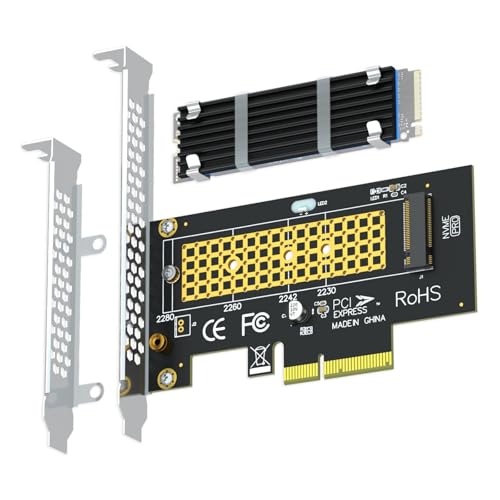 GLOTRENDS M.2 NVMe to PCIe 4.0 X4 Adapter |
8.0/10 | Buy |
Questions to Check Before Buying
What is the difference between PCIe NVMe and PCIe AHCI?
NVMe and AHCI are storage protocols, while PCIe is an interface that carries data between components. NVMe is designed for SSDs, but AHCI is commonly associated with SATA storage. Confirm the drive’s protocol and adapter support rather than relying on the M.2 label.
Can an AHCI M.2 drive work in these adapters?
Only the StarTech listing explicitly says it supports M.2 NVMe or AHCI drives; the other three specify NVMe. That does not confirm support for every AHCI drive, so check its M-Key, form factor, PCIe slot, and manufacturer compatibility details.
Will an M.2 SATA SSD work with these products?
No, the product details explicitly exclude M.2 SATA drives for all four listings. M.2 describes a form factor, not proof of NVMe or PCIe support. Check the SSD’s protocol and key, since a SATA drive may not work in an NVMe adapter.
What should I check before using an adapter for boot storage?
Check whether your motherboard BIOS supports booting from an NVMe drive installed through PCIe. The SABRENT listing specifically calls for BIOS NVMe support, and other product details also caution about older boards. A drive may be usable as secondary storage even when boot support is absent.
Which PCIe slot and M.2 drive sizes are supported?
Three listings specify M.2 sizes 2230, 2242, 2260, and 2280, while StarTech also lists those sizes. Slot requirements vary: SABRENT needs a physical x4, x8, or x16 slot, and GLOTRENDS excludes x1 and PCI slots. Check your available slot and clearance.
About the author
Marcus Hale is a storage and PC hardware writer covering NVMe SSDs, M.2 drives, and gaming PC upgrades. He focuses on turning spec sheets, controller and cache details, and published benchmark data into clear comparisons that help readers pick the right drive for their budget.