
Sata 6gb/s vs Nvme: Check Interface Before Buying
Check your system’s storage interface before buying. This sata 6gb/s vs nvme comparison explains the listed SATA and NVMe options, key tradeoffs, and fit for your workload in November 2026.
 By Tyler Brooks
Updated November 12, 2026

An M.2 slot doesn’t automatically mean your computer accepts an NVMe drive, and buying the wrong interface can leave an upgrade unusable. This Sata 6gb/s Vs Nvme roundup includes both SATA SSDs and an NVMe model, so the key first step is checking what your motherboard or laptop supports. The Samsung Internal SSD 990 1TB is listed as NVMe, while the other four products use SATA III, including two M.2 2280 models. M.2 describes a physical form factor, not a guarantee of NVMe protocol support. If the distinction is unclear, this guide to M.2 form factor and NVMe compatibility can help frame your check.
The listed specifications make the practical tradeoff clear: the Samsung’s manufacturer-rated sequential speeds reach up to 7,150/6,450 MB/s, while the SATA options list maximum read speeds from 530 to 560 MB/s, with write figures supplied for several models. Those figures aren’t a promise of the same results in every computer or workload. Capacity also varies, from the Timetec 256GB and TEAMGROUP MS30 512GB to the listed 1TB and 2TB options. Consider the games, applications, and project files you actually keep, then check the system manual for interface, form factor, and physical clearance before buying. This approach helps avoid paying for speed your system cannot use or choosing a capacity that doesn’t fit your plans.
| Award | Product | BNR Score About BNR ScoreThe BNR Score is our own rating from 0 to 10, based on performance, design and build, ease of use, and value. It reflects independent research and is never influenced by manufacturers, retailers, or affiliate commissions. Learn more › | |
|---|---|---|---|
| Best Overall |
Samsung Internal SSD 990 1TB
|
8.4/10 | Buy |
| Best Budget |
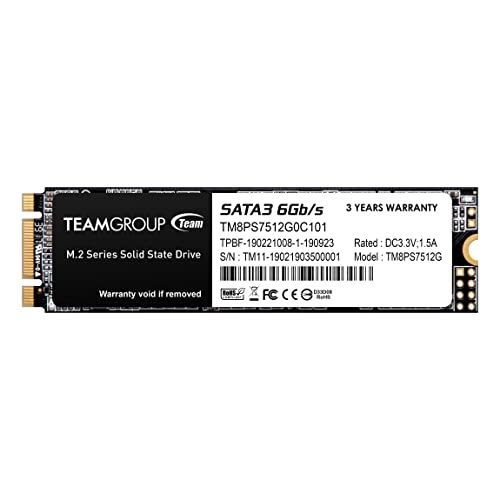 TEAMGROUP MS30 512GB with SLC Cache 3D NAND TLC |
8.1/10 | Buy |
| Best Value |
 SIX 1TB SATA 2.5 SSD Internal Solid State Hard |
8.1/10 | Buy |
 Timetec 256GB SSD 3D NAND SATA III 6Gb/s M.2 2280 |
8.0/10 | Buy | |
| Best Premium |
 TEAMGROUP MS30 2TB with SLC Cache 3D NAND TLC M.2 |
7.8/10 | Buy |
Questions to Ask Before Choosing a Drive
Does an M.2 slot mean an NVMe SSD will work?
No, M.2 describes a form factor, and an M.2 slot may support SATA, NVMe, or both. Check the motherboard or laptop manual for supported protocol, keying, and drive length before buying, since the listed SATA M.2 drives are not NVMe models.
Which listed drive is NVMe, and which are SATA?
The Samsung Internal SSD 990 1TB is listed as NVMe; the other four products specify SATA III. That difference matters because PCIe NVMe and SATA use different interfaces, so verify system support rather than assuming every M.2 SSD is interchangeable.
Will a SATA SSD work in a computer that supports NVMe?
Not necessarily, because support for one protocol does not confirm support for the other. Check the system’s M.2 slot documentation for SATA and NVMe support, form factor, and any shared-port restrictions; the product listings alone cannot confirm compatibility with your computer.
Are the Samsung’s advertised speeds guaranteed in my PC?
No, its listed sequential read and write speeds are manufacturer-rated maximums, not guaranteed results in every setup. Host interface, PCIe generation, workload, and system configuration can affect performance, so compare supported specifications and don’t equate peak speed with everyday responsiveness.
How much capacity should I choose for games and project files?
Choose capacity around the files and applications you expect to keep installed, while leaving room for future needs. The options listed span 256GB to 2TB; check usable space and system compatibility, and compare SATA versus NVMe needs for your workload.
About the author
Tyler Brooks writes about SSD performance, endurance ratings, and thermal behavior. He reviews manufacturer documentation, independent test data, and customer feedback to explain how heatsinks, throttling, and DRAM cache affect everyday use.